What have you learnt about technologies from the process of constructing this product?
During my time doing AS Media I have learnt a lot about the technologies used in media product production. I learnt that there are lots of techniques used to create aesthetically pleasing products and that there are many different ways to edit both photo and text content. I also found that there were many different media based sites in which allow you to publish content such as Prezi and Flipsnack and all of these sites are useful when creating a media product.

Here is a screenshot of my cover page in Photoshop. I have used this to showcase the tool bars and features Photoshop has to offer. The most used tools are featured down the left hand side and image editing etc. is located along the top of the Photoshop window. Prior to AS Media I had never used Photoshop before so had no experience in using the software however in the last 6 months I believe I have covered a lot of the aspects it has to offer and can now use the software to a good level.
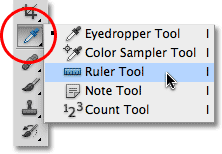
The use of technology when constructing my media product has become very handy for me as I can edit and change my media products as I please. You can use the Photoshop application on any PC and some tablets and mobile devices. This makes it very easy to construct and add to your media work when you please too. Tools such as copy and paste and the 'magic wand' on Photoshop make image editing extremely easy as you can move images around your media product and erase certain parts of them e.g. the background to create a great effect with the images you are using. It is also possible to use effects such as grey-scale on your images in which could help you convey messages to your target audience. Photoshop also allows you to use a ruler tool in which makes it very easy to add things such as cover lines to your media product as you can level things up and ensure they are in the correct position. Without this technology you may find it hard to achieve full aesthetics with your media product.

Another thing Photoshop has to offer is the blending effects feature. This enables you to add shadows, colour overlays or even strokes to both images and text. This is extremely useful when you want to achieve a certain effect with your media product and especially useful when editing pictures and other elements.
 Adobe Photoshop CS6:
I used this software to create and edit my media product. I found this extremely useful and easy to use when I got the hang of it. The software helped me create a professional looking media product with ease.

Dafont.com
I used Dafont.com in order to find suitable fonts
for my media product. This is a very useful
website as it allows you to find special custom
fonts you will not be able to find in something
like Microsoft Word. It also allows you to use
many of their fonts free of charge.
 Blogger.com
This is the blog website I used to post my media
work and media product on. Blogger makes it easy
to showcase my work in a professional way and
make it easy to navigate through my work. It also
allows you to change the layout and background of
your blog in order to create a aesthetically pleasing
blog.

This is the blog website I used to post my media
work and media product on. Blogger makes it easy
to showcase my work in a professional way and
make it easy to navigate through my work. It also
allows you to change the layout and background of
your blog in order to create a aesthetically pleasing
blog.

No comments:
Post a Comment